RoboTwin#
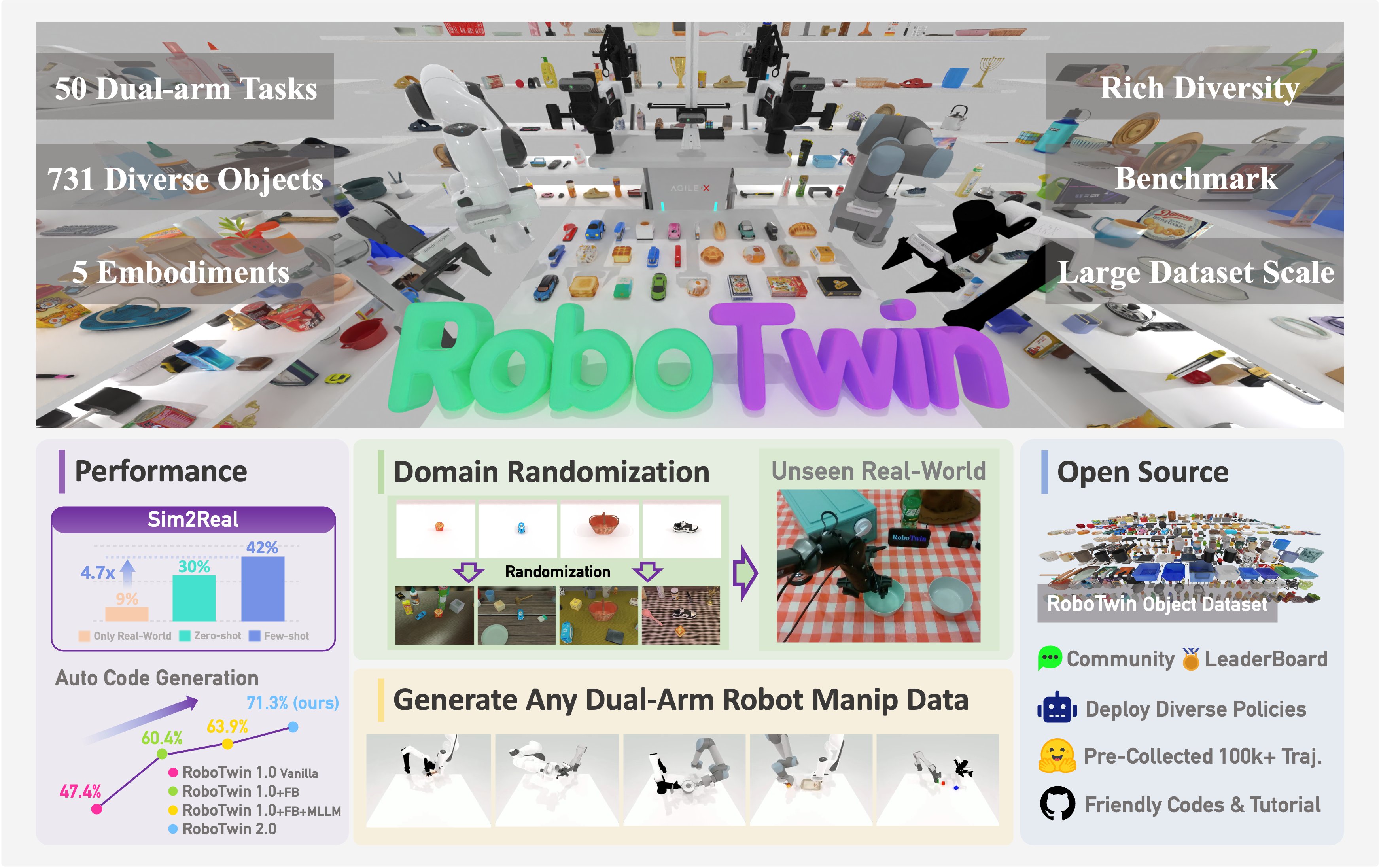
RoboTwin 2.0 overview. Source: RoboTwin project. The results in this figure are reported by RoboTwin.#
Run bimanual tabletop tasks with RPent in RoboTwin, then reproduce the C2R experiment in randomized scenes. RPent connects to the simulator through RLinf and uses LingBot-VLA to generate actions.
Overview#
Check the model, task, and runtime requirements before following the installation and run steps.
LingBot-VLA
api, claude_code, codex
50 C2R tasks
Linux, NVIDIA GPU; Python 3.11; CUDA and GL/EGL/Vulkan.
Tasks#
C2R uses successful clean-scene trajectories as prior experience and evaluates in randomized scenes. The two task configurations serve these roles.
Configuration |
Scene |
Use |
|---|---|---|
|
Clean scenes. |
Collect task experience. |
|
Random backgrounds, clutter, lighting, and table height. |
C2R evaluation: 50 tasks, each with five verified seeds. |
Observation and Action#
The table distinguishes planner tools, model inputs, and the environment’s success criterion.
Item |
Description |
|---|---|
Observation |
Head and left/right wrist RGB views, depth/world coordinates for localization, and robot state. LingBot-VLA uses RGB views, robot state, and task text. |
Action |
The planner calls |
Reward / success |
Evaluate success using native |
Task prompt |
Listed evaluation task/seed pairs use their verified |
Installation#
RoboTwin requires Python 3.11. The host must already provide a compatible CUDA toolkit/NVCC, a compiler toolchain, and the system GL/EGL/Vulkan libraries that SAPIEN depends on. Create an environment and install the RoboTwin dependency set:
git clone https://github.com/RLinf/RPent.git
cd RPent
uv venv --python 3.11 .venv-robotwin
source .venv-robotwin/bin/activate
uv pip install -e ".[robotwin]"
You do not need to run the RLinf installer or clone RoboTwin separately.
For networks closer to Chinese mirrors:
uv pip install -e ".[robotwin]" \
   --default-index https://mirrors.aliyun.com/pypi/simple \
   --index https://pypi.tuna.tsinghua.edu.cn/simple
Note
.[robotwin] uses SAPIEN 3.0.0b1. Other versions can change simulator
observations and reduce model performance.
Note
The RoboTwin and LingBot runtimes in .[robotwin] are installed from
released PyPI packages. cuRobo is still built from a GitHub official tag,
so the installation needs access to GitHub even when a PyPI mirror is
configured.
Download Assets#
Download the supported RoboTwin asset snapshot and set its location:
robotwin-download-assets --output ~/.robotwin/assets
export ROBOTWIN_ASSETS_PATH=~/.robotwin/assets
# use the following command for users in mainland China
# HF_ENDPOINT=https://hf-mirror.com robotwin-download-assets --output ~/.robotwin/assets
The downloader validates existing files and skips the download when the target directory already contains a complete RoboTwin asset set.
Download the Model#
Download the LingBot checkpoint and set its location:
# add HF_ENDPOINT=https://hf-mirror.com for mainland China users
hf download RLinf/LingBot-VLA-RoboTwin-EEF-ckpt1500 \
   --revision e727b46cd220b66981ea4d2fd9ba84adc189e2cc \
   --local-dir /path/to/LingBot-VLA-RoboTwin-EEF-ckpt1500
export LINGBOT_MODEL_PATH=/path/to/LingBot-VLA-RoboTwin-EEF-ckpt1500
The checkpoint includes the default RoboTwin robot configuration.
Run a Task#
Run one episode from the activated environment:
# add HF_ENDPOINT=https://hf-mirror.com for mainland China users,
# as it will download robotwin task related memory data
rpent --robot robotwin \
   --task-name beat_block_hammer \
   --seed 100000 \
   --planner codex \
   --model gpt-5.5
Change --task-name to run another task. For standard randomized
evaluation seeds, see the note below. See rpent --robot robotwin --help for
the complete option list.
Note
--seed is the exact RoboTwin scene seed. For the standard
demo_randomized evaluation, use one of the five validated seeds for the
selected task in the RoboTwin evaluation suite.
The suite was filtered with RoboTwin expert execution: seeds that could not be initialized stably or did not pass the expert rollout were skipped. Other seeds can still be passed explicitly for custom runs.
View Results#
The terminal shows server startup, planner output, and tool calls. By default,
the run is saved under
logs/<timestamp>_robotwin_<task-name>_s<seed>/. Start with these files when
checking a run:
run.logcontains the RPent process log.robotwin_env_server.logandlingbot_vla_server.logcontain simulator and model startup errors.transcript_*.jsoncontains the planner conversation and final response.
RoboTwin’s native TASK_ENV.eval_success value in the latest tool result is
the task-success source. Calling finish ends the Planner loop; it does not
define a second success condition.
Add --dashboard to watch the planner and the head and wrist camera views in
a browser. The command prints the Dashboard URL after startup.
Common Options#
RPent uses RoboTwin’s demo_randomized task configuration by default, which
adds scene disturbances (random backgrounds, clutter, lighting, and table
height). Pass --task-config demo_clean for a simple, clean scene.
--robotwin-assets-pathoverridesROBOTWIN_ASSETS_PATH.--vla-model-pathoverridesLINGBOT_MODEL_PATH.--cuda-deviceruns the simulator and VLA on the same GPU.--env-cuda-deviceand--vla-cuda-deviceplace the simulator and VLA on different GPUs. Do not combine these options with--cuda-device.
For planner setup, external service endpoints, and offline resources, see Planners and Model Services, Remote Services and Parallel Runs, and Memory and Exploration.
Before evaluation runs with the HF memory profile, RPent syncs optional RoboTwin memory and task references from the public RLinf/RPent-memory dataset. These references can improve planning by providing previously verified techniques; the run still starts if they are unavailable.
Task Memory#
The published planner memory lives under robotwin/ in the dataset. The HF
profile syncs it to <RPent-clone-path>/memory/robotwin/ for read-only use.
MEMORY.md indexes reusable experience across tasks, including
perception cues, control heuristics, recovery strategies, parameter-selection
guidance, and common failure modes. The planner can follow the index to read
only the memory entries relevant to the current task or observed failure.
For each evaluation task, task_only/<task>_s0.json is the semantic recipe
distilled from a successful trajectory. It describes the phase-level goals,
observable completion gates, control and VLA guidance, and known failure modes.
The companion task_only/<task>_s0_recipe.jsonl records the historical tool
calls from that trajectory, providing evidence about action order, tool choice,
and action-chunk cadence.
The _s0 suffix is a uniform recipe-slot name used for convenient prompt
lookup; it does not mean RoboTwin seed 0. Since some randomly generated seeds
may be unsolvable, the source seed for each recipe is selected using RoboTwin’s
official expert program. The actual source seed is recorded in the recipe
metadata.
These recipes are derived from successful demo_clean trajectories for use
as strategy priors in independently generated demo_randomized scenes. They
transfer phase structure, observable gates, control choice, and VLA chunk
cadence. Source task language, arm choices, pixels, coordinates, poses,
clearances, and contacts are not commands for a new episode. The current native
task language and fresh observations remain authoritative, and all geometry
must be localized again.
An evidence_status of supported means the recipe is backed by a
successful clean trajectory. An experimental recipe remains a weak prior.
Start with MEMORY.md and read only the notes relevant to the current
task and failure mode.
Exploration Mode#
Add --explore to let the planner retry a task across fresh episodes and
write local memory. As with LIBERO, one run allows up to three planner sessions
with at most five attempts per session by default:
rpent --robot robotwin --task-name beat_block_hammer \
  --task-config demo_randomized --seed 100000 \
  --planner codex \
  --explore --explore-sessions 3 --explore-attempts-per-session 5 \
  --memory-dir /path/to/robotwin-memory
reset uses the environment’s ordinary episode reset, so the planner
re-runs perception after every reset. The runner exports only the winning
commands after the final reset. Exploration memory is written to the current
local inbox. Drafts are merged when the run completes normally without an agent
execution error. Pass --no-auto-merge-memory to disable automatic merging.
Experiment Reproduction#
The following result was obtained for
Harness VLA on RoboTwin C2R. On the
reproduce/robotwin branch, use
gpt-5.5 with xhigh reasoning effort to reproduce this result:
demo_randomized: 62.4% (156/250)
This run produced 156 successes, 58 task failures, and 36 episode timeouts.
The evaluation covers 50 RoboTwin tasks and runs five episodes per task, for a
total of 250 episodes. For each task, use the five official verified expert
seeds listed in robots/robotwin/eval/demo_randomized.json. Because the
solvable seeds can differ across tasks, select each task’s corresponding seeds
from that file rather than applying one fixed seed list to every task.
For a listed task/seed pair, RPent also binds the table’s task_language
after resetting the exact scene. Custom seeds that are not listed continue to
use the language generated by the native RoboTwin environment.
Reproduction command for one episode:
rpent --robot robotwin \
  --task-name beat_block_hammer \
  --task-config demo_randomized \
  --seed 100000 \
  --planner codex \
  --model gpt-5.5 \
  --reasoning-effort xhigh \
  --max-turns 100 \
  --planner-timeout-s 4800 \
  --max-episode-steps 10000
This example runs beat_block_hammer at seed 100000. To reproduce the full
score, run every task with its own verified expert seeds from demo_randomized.json. Before running, configure the
RoboTwin assets and LingBot-VLA checkpoint as described earlier on this page.
An episode counts as successful only if the final value of
TASK_ENV.eval_success is true; the planner’s finish call does not by
itself indicate success.